Descript
Descript transcribes your video and lets you edit it like a document — cut, rearrange, and remove filler words just by editing text.
At a glance
About Descript
Descript combines transcription, video editing, screen recording, and podcast production in one tool. Its Overdub feature clones your voice so you can fix mistakes by typing. A favorite among YouTube creators and podcasters.
Key features
- Text-based editing
- AI transcription
- Overdub voice cloning
- Screen recording
- Filler word removal
Pros
- Unique text-based workflow
- Great for podcasters
- High transcription accuracy
Cons
- Expensive for full features
- Steep learning curve
Pricing and free tier
- Pricing model
- Freemium
- Starting price
- $24 / mo
- Free tier
- Yes
- Free tier note
- 1 hour transcription per month, watermarked export
Best fit
Common use cases
Category fit
Descript alternatives
Looking for similar tools? See the best Descript alternatives →
-
CapCut
CapCut is a free mobile and desktop video editor with AI-powered features including auto-captions, background removal, and text-to-video.
$8 / mo
-
Captions
Captions is a mobile-first AI app that adds captions, cleans up audio, removes filler words, and generates short clips from long videos.
$10 / mo
-

VEED.IO
VEED is a browser-based video editor known for its best-in-class subtitle generator, translation, and teleprompter — no software installation needed.
$18 / mo
-

Filmora AI
Filmora is a consumer video editor with built-in AI tools including background removal, auto-reframe, silence detection, AI portraits, and a script-to-video feature.
$10 / mo
-
Repurpose.io
Repurpose.io automatically takes your YouTube, podcast, or live stream content and repurposes it with captions for TikTok, Instagram, LinkedIn, and more.
$25 / mo
-
Type Studio
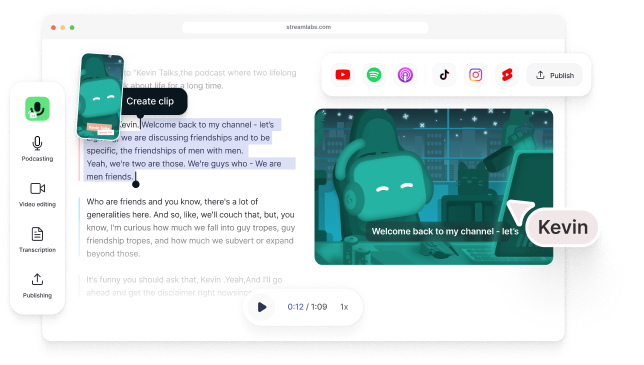
Type Studio transcribes your video podcast and lets you edit it by deleting words from the transcript — cuts update the video in real time.
$18 / mo